
Best Photo Booth App Analysis for iPad, 360, and DSLR Booths

Quick Answer
Contents
Data Reviewed for This Photo Booth Software Guide
This guide reviews ten photo booth software products: Simple Booth HALO, LumaBooth, Booth.Events, Snappic, Touchpix, Breeze Booth, Fiesta, Curator Live, Mini Photobooth, and ChackTok.
The analysis uses Apple App Store ratings, Google Play ratings, saved App Store and Google Play text reviews, Appfigures monthly rating trends, official websites, help centers, pricing pages, App Store listings, Google Play listings, and public feature documentation.
The app store dataset covers rating scale, average score, recent rating growth, text review themes, positive review signals, negative review signals, and recent issue patterns. The public feature review covers official software claims across websites, help centers, pricing pages, and store listings. The workflow review covers iPad self-service booths, 360 video booths, DSLR-style setups, printing, sharing, booth operation, and post-event gallery or data delivery.
The goal is to help photo booth buyers, booth operators, and equipment shoppers match software to the booth they plan to run. The main evaluation areas are booth type fit, hardware compatibility, guest flow, event setup speed, sharing, printing, 360 video workflow, pricing model, support signals, and app store review performance.
How to Evaluate Photo Booth Software
The first filter is booth type. iPad booths need simple guest operation, fast template setup, retake control, sharing, printing, and session reset. The workflow is usually self-service, so the screen layout, button order, and guest-facing steps matter.
360 photo booth software needs stronger control over video capture. The key areas are rotation workflow, shooting duration, lighting effects, music, video processing, output quality, and large-file sharing. A 360 booth also requires more operator control because guests stand on or near moving equipment.
DSLR photo booth software has a different priority list. Camera compatibility, live view, image quality, print layout, file handling, and gallery export matter more than a simple mobile interface. DSLR setups fit operators who care about production quality, printing, and camera control.
| Evaluation Area | What to Review |
|---|---|
| Booth type fit | iPad, 360, DSLR, DIY iPhone/iPad, or hardware-linked booth setup. |
| Hardware compatibility | iPad, iPhone, DSLR camera, printer, 360 platform, lighting, and booth controls. |
| Guest flow | Welcome screen, countdown, retake, sharing, print choice, and session reset. |
| Sharing and delivery | SMS, email, QR code, gallery, cloud upload, resend options, and export access. |
| Pricing model | Monthly plan, annual plan, lifetime license, credits, device limits, and event limits. |
| Review signals | High-star themes, low-star themes, recent issue clusters, and app store rating scale. |
The third filter is app store performance. Mini Photobooth has the strongest App Store rating scale in the current dataset, with 8,926 ratings and a 4.75 average score. Touchpix has the highest average App Store score at 4.80, with 6,705 ratings. LumaBooth has the strongest large-sample ease-of-use signal. ChackTok has the clearest 360/video signal.
Best Photo Booth Software by Booth Type
For a 360 setup, software should match the capture, sharing, and event workflow described in our start a 360 photo booth business guide.
| Booth Type | Best-Fit Software Direction | Why It Fits |
|---|---|---|
| iPad and self-service booths | LumaBooth, Mini Photobooth | LumaBooth leads in ease of use, with 212 high-star matches out of 241 ease-of-use review signals. Mini Photobooth has strong app store scale and positive signals around ease of use and printing. |
| 360 video booths | ChackTok, CyraTok for supported Smart 360 equipment | ChackTok has the clearest 360/video review signal, with 124 high-star matches out of 164 review matches. CyraTok adds hardware control for supported Smart 360 equipment. |
| DSLR booth setups | DSLR-focused software | DSLR setups need camera model support, live view behavior, print layout control, image output, file export, and gallery management. |
| Simple iPhone/iPad-style event booths | Mini Photobooth | Mini Photobooth has the strongest app store scale in this dataset and good signals around easy use and printing. |
| Smart 360 hardware users | CyraTok | CyraTok is designed for supported Smart 360 and iPad booth equipment. On supported 360 booth equipment, it can control rotation speed, rotation direction, shooting duration, and booth lighting effects. On supported iPad booth equipment, it can control ring light settings. |
| High-rating apps to evaluate carefully | Touchpix | Touchpix has the highest App Store average score in the dataset. Its text review signals show concentrated issues around pricing, stability, and support. |
Mini Photobooth belongs in the simple iPhone/iPad-style booth category. It is a strong app store performer for lightweight event booths, DIY setups, and self-service booth use. It should not be used as the main 360 hardware-control recommendation.
What Users Like Most in Photo Booth Software
Ease of use is the strongest positive theme across the current software data. LumaBooth has the clearest large-sample result, with 212 high-star matches out of 241 ease-of-use signals. Mini Photobooth also shows strong ease-of-use performance, which fits its position as a simple iPhone/iPad-style booth app.
The strongest 360/video signal comes from ChackTok. It has 124 high-star matches out of 164 review matches for the 360/video theme. This makes it the most relevant review-backed option for operators comparing software for 360 video booth workflows.
Printing is one of the clearest practical features in the data. Mini Photobooth has 30 high-star matches out of 50 printing-related matches. This supports its position for simple event booths where quick prints, easy templates, and mobile operation are part of the software value.
Template and branding workflow also stands out. Booth.Events has positive review signals for template and branding setup, with 11 high-star matches out of 13 theme matches. This is useful for operators preparing branded events, client overlays, and repeatable event layouts.
Support signals appear most clearly in Curator Live and Snappic, although both have smaller review samples. Curator Live has 20 high-star matches out of 20 support-related matches, while Snappic has 10 high-star matches out of 10 support-related matches. These signals are useful when comparing software for customer support experience, documentation, and operator confidence.
| User-Liked Area | Software Signal | Practical Meaning |
|---|---|---|
| Ease of use | LumaBooth, Mini Photobooth | Relevant for iPad booths, self-service setups, and fast event setup. |
| 360/video workflow | ChackTok | Relevant for 360 video booth operators comparing video-focused software. |
| Printing | Mini Photobooth | Relevant for simple event booths where quick print output matters. |
| Template and branding | Booth.Events | Relevant for operators preparing client overlays and reusable event layouts. |
| Support | Curator Live, Snappic | Relevant for operators comparing documentation, support access, and account help. |
What App Store and Google Play Reviews Show
The review data shows clear issue clusters around pricing, stability, sharing, login, and support. These clusters point to the parts of photo booth software that affect daily use and event delivery.
| Issue Cluster | Software Signals | What Buyers Should Review |
|---|---|---|
| Pricing and subscription | Touchpix has 48 low-star matches out of 66 pricing/subscription signals. Fiesta has 33 low-star matches out of 33. Simple Booth HALO has 14 low-star matches out of 16. | Monthly fees, annual fees, device limits, event limits, credits, renewal rules, AI feature costs, and upgrade steps. |
| Stability and performance | Fiesta has 49 low-star matches out of 63 stability/performance signals. Touchpix has 33 low-star matches out of 42. | Offline capture, upload queue, saved sessions, recovery tools, and clear error handling. |
| Sharing and gallery delivery | Fiesta has 26 low-star matches out of 31 sharing/delivery signals. Touchpix and Mini Photobooth also show sharing or delivery-related low-star signals. | SMS delivery, email delivery, QR code sharing, gallery upload, cloud export, and resend options. |
| Login and account access | Mini Photobooth has 9 low-star matches out of 18 account/login signals. ChackTok has 9 low-star matches out of 14. | Account login, device authorization, event access, staff access, and multi-device use. |
| Customer support | Touchpix has 28 low-star matches out of 38 customer support signals. | Support access, help documentation, response channels, account help, and billing support. |
Pricing and subscription complaints are concentrated in Touchpix, Fiesta, and Simple Booth HALO. Stability and performance complaints are strongest in Fiesta and Touchpix. Sharing and gallery delivery appear as another recurring issue area, especially when software is used for live event delivery, galleries, cloud upload, or guest sharing.
Free vs Paid Photo Booth Software
Free photo booth software fits testing, personal events, and early workflow learning. It helps users understand templates, countdowns, retakes, sharing, and gallery output before paying for a full software plan.
Paid photo booth software fits operators who need branded output, reliable sharing, printing, cloud galleries, device management, customer delivery, and support. The paid plan should be reviewed by event limits, device limits, gallery limits, SMS or email credits, AI credits, cloud storage, branding controls, and export options.
| Plan Type | Best Fit | What to Check |
|---|---|---|
| Free software | Testing, personal events, and workflow learning. | Watermarks, export limits, sharing limits, gallery limits, and locked features. |
| Monthly subscription | Temporary testing, seasonal use, or early-stage operators. | Renewal rules, device limits, event limits, and upgrade path. |
| Annual subscription | Operators running events consistently. | Cloud storage, support access, galleries, SMS/email credits, and included features. |
| Lifetime license | Long-term users who prefer one-time payment. | Update policy, system compatibility, support access, and feature roadmap. |
| Hardware-bundled software | Equipment buyers who want software tied to supported booth hardware. | Device control, booth compatibility, lighting control, rotation control, and setup friction. |
Pricing-related review data should guide the questions buyers ask before checkout. Touchpix, Fiesta, and Simple Booth HALO all show concentrated low-star pricing/subscription signals in the current dataset. That makes pricing clarity a core evaluation factor, especially for users planning to run paid events.
Photo Booth Software Pricing Snapshot
Price is useful, but it should not be the only reason to choose photo booth software. For paid events, operators should compare pricing together with feature depth, app stability, supported booth types, sharing and printing workflow, and real customer feedback. A cheaper app can become expensive if it freezes during an event, limits key features, or requires too many manual workarounds.
The pricing below is a public snapshot based on official pricing pages, official support pages, or public pricing interfaces reviewed in July 2026. Prices can change, so always confirm the latest plan details before subscribing.
| Software | Starting Public Price | Pricing Model | What to Check Before Choosing |
|---|---|---|---|
| Simple Booth HALO | From $16/week | Weekly, monthly, and annual plans | Check license limits, branding tools, data capture, and whether Core, Plus, Pro, or Select fits your event type. |
| LumaBooth | From $19.99/month for the Apple app | Monthly and annual app subscriptions | Check Apple vs Windows needs, device support, LumaShare requirements, cloud workflow, and reported ease of use. |
| Booth.Events | From $19/week | Weekly pass, monthly plans, annual plans, and event credits | Check whether you need occasional event credits or a full subscription for frequent paid events. |
| Snappic | From $29/event | Per-event, monthly, and annual plans | Check 360 workflow, AI features, branding, SmartShare, white-label tools, and whether higher plans are needed. |
| Touchpix | From $14.62/week | Weekly, monthly, half-yearly, and annual plans | Check whether you need photo-only features or broader video, slow-motion, boomerang, and multi-platform support. |
| Breeze Booth | From $49/month per device | Monthly or annual per-device pricing | Check camera compatibility, printing workflow, device-based cost, and whether the setup matches a DSLR-style booth. |
| Fiesta | From $59/month | Plus and Pro monthly or annual plans | Check sharing stations, live galleries, analytics, cloud storage, and whether the Pro plan is needed for your operation. |
| Curator Live | From $29/event | Per-event, monthly, and annual plans | Check capture device licenses, sharing station needs, gallery tools, data capture, and hardware integration. |
| Mini Photobooth | From $36/month | Monthly and annual web subscriptions | Check whether the web subscription and App Store in-app pricing differ, and whether Pro or Studio fits your workflow. |
| ChackTok | From $21.99/week | Weekly, monthly, yearly, and software-plus-hardware bundles | Check whether you only need the app subscription or a bundled hardware package, and confirm activation requirements. |
For most event businesses, the best value comes from the app that fits the booth type, sharing workflow, hardware setup, and support needs. A stronger choice is usually the app that matches the booth type, supports the required capture and sharing workflow, has enough template and branding flexibility, and shows fewer stability complaints from real users.
Unique Photo Booth Software Features Worth Paying Attention To
Fast event setup is one of the most valuable software features. It affects how quickly an operator can create an event, apply a template, add a logo, adjust the overlay, and prepare the booth for guest use. LumaBooth’s strong ease-of-use signal and Booth.Events’ template/branding signal both connect to this feature area.
360 video workflow is the most important feature area for 360 booth users. Useful software in this category should support video capture flow, shooting duration, effects, music, output quality, and file sharing. ChackTok leads the current review dataset for 360/video signals. CyraTok adds a hardware-control angle for supported Smart 360 equipment, including rotation speed, direction, shooting duration, and booth lighting effects.
Printing workflow matters for iPad-style booths and simple event booths. Useful print features include layout control, output testing, printer selection, queue management, and quick guest delivery. Mini Photobooth has the strongest printing signal in the current dataset.
Branding and template control matter for operators who prepare repeatable client layouts. Useful features include logo placement, overlays, event graphics, branded galleries, and reusable templates. Booth.Events shows a positive signal in template and branding workflow.
Support and recovery features matter for operators who run paid events or manage multiple booths. Useful features include help documentation, account access control, saved sessions, upload queues, diagnostic tools, and file recovery options. Curator Live and Snappic show positive support signals in the current review data, with smaller sample sizes.
| Feature Area | Why It Matters | Relevant Software Signal |
|---|---|---|
| Fast event setup | Reduces setup time for templates, logos, overlays, and guest flow. | LumaBooth, Booth.Events |
| 360 video workflow | Supports video capture, effects, music, output quality, and file sharing. | ChackTok, CyraTok for supported Smart 360 equipment |
| Printing workflow | Helps operators manage print layout, print testing, and guest delivery. | Mini Photobooth |
| Branding and templates | Supports client overlays, logos, event graphics, and reusable layouts. | Booth.Events |
| Support and recovery | Helps operators manage account access, saved sessions, upload queues, and file recovery. | Curator Live, Snappic |
What to Check Before Choosing Photo Booth Software
If you plan to offer prints, confirm the software and driver workflow against your photo booth printer setup before taking paid print bookings.
Start with the booth typecompare photo booth types for business. iPad booth users should review templates, guest flow, retake options, sharing, printing, and automatic session reset. 360 booth users should review video workflow, rotation control, lighting control, music, processing speed, and large-file sharing. DSLR booth users should review camera compatibility, live view, image output, print layout, and gallery export.
Next, review the app’s strongest fit. Mini Photobooth fits simple iPhone/iPad-style event booths. LumaBooth fits iPad and self-service workflows with strong ease-of-use signals. ChackTok fits 360 video workflows. CyraTok fits supported Smart 360 and iPad booth equipment. Touchpix has strong app store visibility and needs extra review around pricing, stability, and support.
Then review the plan structure. Check monthly or annual pricing, device limits, event limits, gallery limits, cloud upload limits, SMS or email credits, AI credits, branding controls, and export permissions. Pricing friction is one of the clearest issue clusters in the current review data.
Finally, review the delivery workflow. The software should match the way the booth operator sends finished content to guests or clients: SMS, email, QR code, print, gallery, cloud link, download, or lead export. This is where software choice becomes part of the finished customer experience.
Sources Reviewed
This guide reviewed public official software websites, pricing pages, help centers, App Store listings, Google Play listings, and saved app review datasets for the photo booth software products mentioned above.
Related Guides
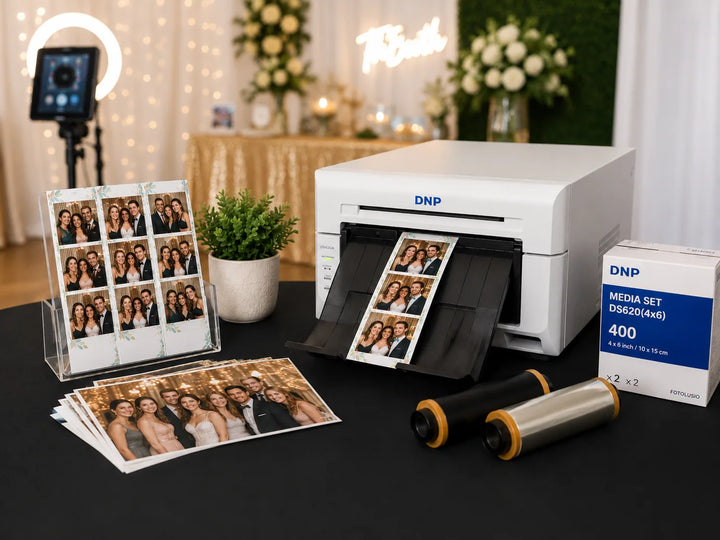
Best Photo Booth Printer for Event Businesses
Compare photo booth printer options for event businesses, including dye-sub models, print sizes, setup needs, and when prints are worth offering.
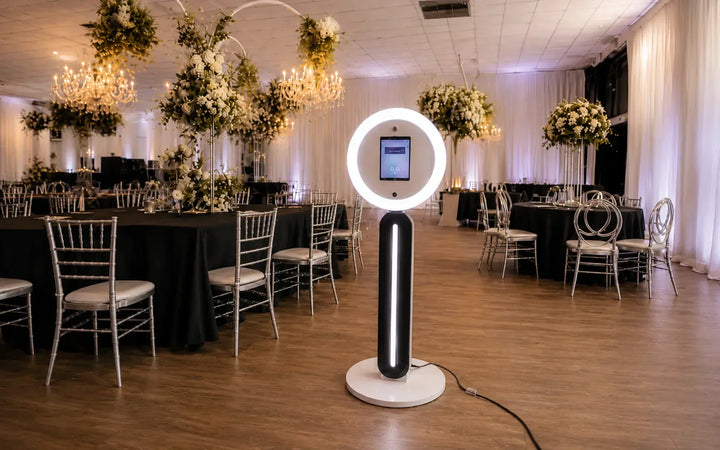
Photo Booth Business Equipment Checklist: What You Need to Start
Use this checklist to plan the core equipment, software, transport gear, and backups needed to start a photo booth business.
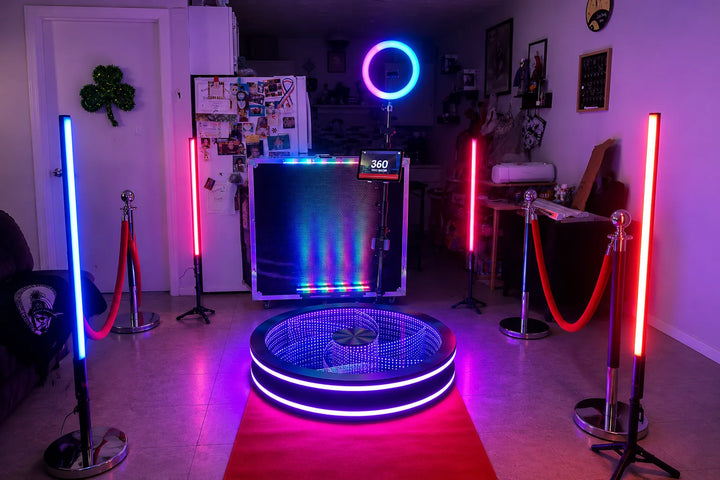
Best Photo Booth to Buy for Business: Compare the Top Types
Compare iPad, 360, DSLR, mirror, and open-air booths to choose the best photo booth type for your event business.